Outdoor Learning and STEM  

Stop Frame Animation

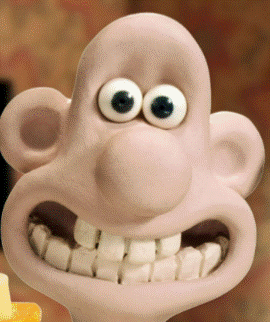
Remember Wallace and Gromit ?

Stop frame animation, also known as stop motion animation, is a film-making technique where objects are physically manipulated and photographed frame-by-frame to create the illusion of movement when the series of images is played back in sequence.  It's a fun way of creating a short video, and, combined with other activities such as making play-dough or junk modelling, it can be a brilliant way for children to express themselves.  It can also be used as a safe way for children to express and explore difficult feelings or to explore concepts or unfamiliar social situations.


Wallace - the 'hero' of the stop frame animation feature length movies created by Aardman Films.
Gromit - Wallace's long suffering sidekick, often saving the day !

Making a stop frame animation.

Here's a simple breakdown of how you make a stop frame animation.
  1. Setup: A scene or object is prepared. This can be a puppet, clay figure, toy, or any object you want to animate.  You can include backgrounds which can be as simple as a large sheet of coloured paper, to complex scenes including toys, actions figures, dolls house furniture or ... well ... anything you want !

  2. Positioning: The object (plasticine figure, lego character, toy car, for example) is placed in a starting position.

  3. Photographing: A picture is taken of the object in its initial position.

  4. Small Movement: The object is moved slightly. The movement should be small to create smooth animation.

  5. Photographing Again: Another picture is taken after the object has been moved.

  6. Repeat: Steps 4 and 5 are repeated, gradually moving the object each time and taking a new photo after each adjustment.

  7. Playback: The sequence of photographs is played back rapidly, creating the illusion that the object is moving on its own.

It is not difficult to create these animations, and there are a number of free apps that you can download to help you !  Examples of these are "iMotion" (for Apple devices) and "Stop Motion Cartoon Maker" (for Android devices), however apps come and go, and so it may well be that you have to download something else.  In your App store, just search for 'Stop Frame Animation' or 'Stop Motion Animation.'  Be careful when downloading apps, however.  Be aware of what data is collected and shared, and be careful not to download one which is going to cost money to use.  There are PLENTY of free apps out there !

In class, we will be using an app called Stop Motion Studio.  It is available on both Apple and Android platforms, is easy to use, and is free (unless you want to pay for some more advanced features).  The video below explains how you go about making stop frame animations using the app, and is packed full of hints and tips to help you produce really good quality animations !

"Stop Motion Studio" - A guide !

In the video below, Steve from the Youtube channel 'Learn Online,' demonstrates how to make a stop frame animation using nothing more than a smartphone and Stop Motion Studio.
Click the image to play the video !

Points to ponder ...

While carrying out this activity with children, what safety concerns might you need to take into account ?   Is this 'small parts play' ? 
Does this mean there may be choking hazards when working with children ?
What specific dangers or risks might you need to take into consideration when developing the session plan for this activity and will therefore need to include in a risk assessment ?
And once you have identified those risks, what steps can be taken to minimise the risks as much as is reasonably practicable ?
Remember ... we don't want to introduce so many safety measures that we prevent the activity from providing the learning opportunities that it does, but we need to make sure we reduce risks so that the activity can take place as safely as possible.


How does this activity relate to S.T.E.M ?

Some of the concepts that you might want to explore could be ...
Technology.
  • Using a mobile device
  • Downloading Apps
  • How the internet works.
  • Internet Safety.
Engineering.
  • Depending on the topic, there may well be many engineering concepts to explore, including balance and scale.
Maths
  • The idea of 'frames per second' (f.p.s.) can be explored.  How long will your video last if you took 24 pictures, and you are playing the video at a speed of 12 f.p.s.   (The answer is 2 seconds !) What frame rate makes a smoother animation ?   And so how many images do you need to take to 'tell the story' but to keep animation smooth ?  It's all basic number skills !